Written by Kelsie Pinkerton — 20+ years as a luxury wedding photographer + now designing Showit websites built to help creatives get found, connect, and book dream clients with ease.
Quick Answer:
Most photography websites don’t need nearly as many pages as you might think.
At minimum, I recommend a strong Home, About, Portfolio, Services/Details, and Contact page. For most established photographers, I’d also add some featured portfolio galleries, a Blog, and some way to build an email list—especially if you’re interested in creating a business that isn’t entirely dependent on social media or referrals.
You’ll also want to make sure you have the appropriate legal and privacy pages for your particular business and website.
Beyond that? More pages aren’t automatically better.
The goal is to make sure every page you do have helps the right client feel in the right place, trust you, and know exactly where to go next.
Table of Contents
- You Probably Need Fewer Website Pages Than You Think
- The 5 Essential Photography Website Pages
- Blog + Email List
- What About Separate Gallery Pages?
- Pages You Might Need
- Privacy, Terms + Other Legal Stuff
- Should You Have Separate Pages for Every Photography Service?
- What About SEO? Is a Bigger Website Better?
- The Simplest Photography Website Structure I’d Recommend
- The Pinkerton House Perspective
- Your Website Should Be Built to Grow With You
- Frequently Asked Questions
- Key Takeaways
You Probably Need Fewer Website Pages Than You Think
When you’re planning a photography website, it’s really easy to let what you see on everyone else’s site convince you that yours isn’t enough.
Suddenly that pretty, simple little site you set out to build has turned into a 15-page project that’s been sitting unpublished for six months.
Here’s the good news:
A strategic five-page photography website can absolutely be more effective than a scattered 15-page one.
After 20+ years running my own photography business—and now designing websites for photographers and creatives—I’ve become much more interested in what a page is doing than whether a website checks every possible box.
Every page should have a job.
So let’s start with the ones I consider the essentials.
The 5 Essential Photography Website Pages
1. Home Page: The First Impression
With visitors forming an opinion about a web page within literal seconds, your homepage has a pretty big job.
A prospective client should be able to immediately understand:
- what you do
- where you do it
- whether your work feels like it might be for them
- where they should go next
But it’s not your homepage’s job to tell them everything.
Think of it as the guide to the rest of your website.
Give visitors a beautiful first impression, introduce your positioning (how you do what you do differently), show them strong, curated work (the kind you want more of), establish a little trust, and then lead them deeper—to your portfolio, About page, services, or inquiry form.
And make sure to tell then what you most want them to do next (your CTA)…and say it often.
If you’re struggling with what goes where, I created my free Homepage Blueprint That Books to walk photographers through the exact sections I recommend and the job each one should be doing.
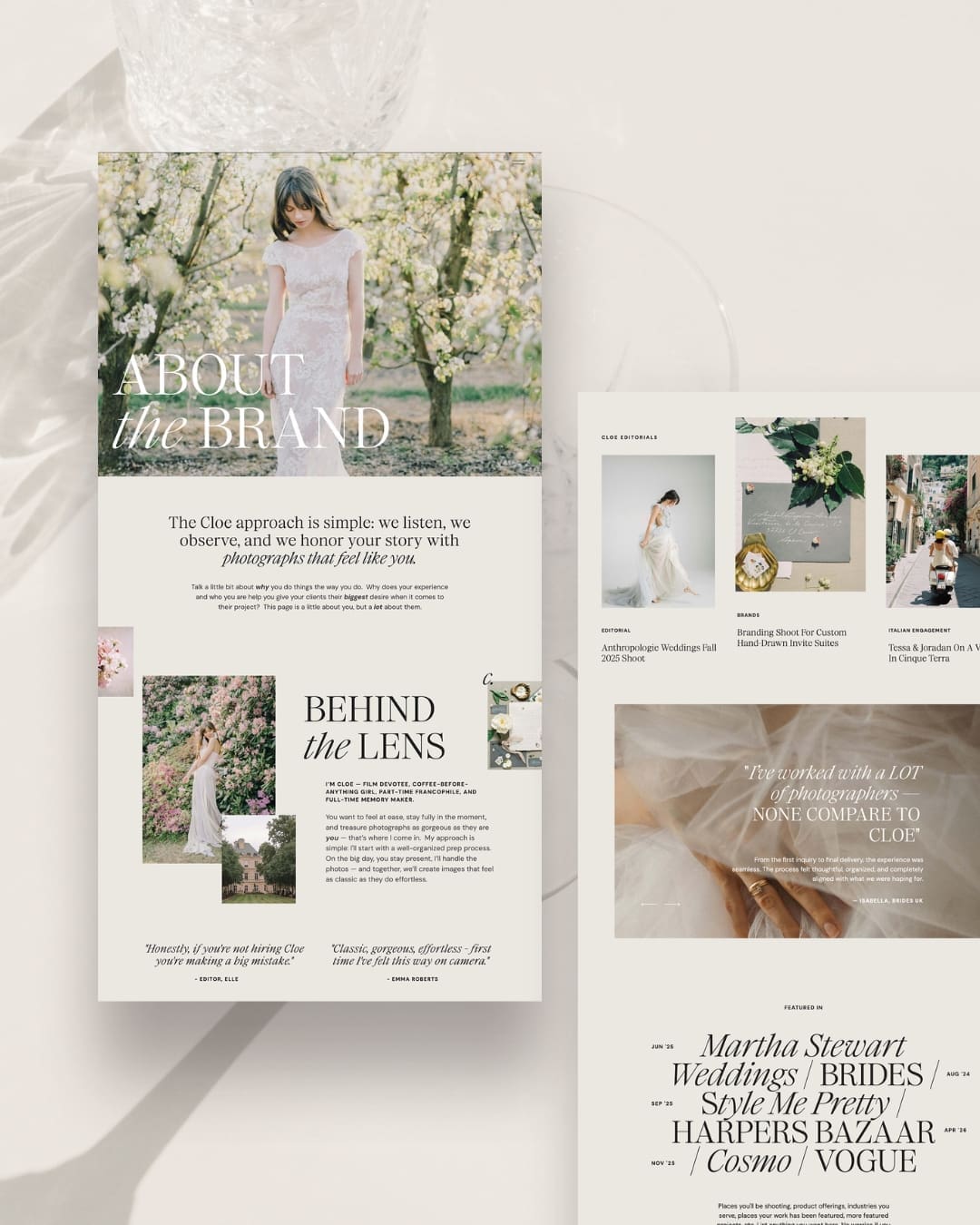
2. About Page: It’s About You, But It’s Not Really About You
So you fell in love with photography in your 11th grade dark room, then traveled to world with your vintage film camera, and can’t imagine your life without it…
Great.
How does your story build your dream client’s confidence that you are the one who can give them everything they most want?
Photography is a people business. Your clients aren’t just purchasing images—they’re inviting you into their wedding day, family milestone, brand shoot – experiences where they’re going to spend actual time with you, and likely a lot of it.
They want to know:
Do I like this person? Do they understand what matters to me? Can I imagine working with them? Can they give me the end result I most want.
Make it your goal to share your experience, approach, philosophy, personality, and even the seemingly small details in a way that will help the right person feel more confident reaching out.
Your beautiful photos create desire. Your About page should build connection.
3. Portfolio Page: Show Them What You Want to Book More Of
Your portfolio doesn’t need to prove that you’ve photographed everything.
It needs to make the right client be able to see themselves in your work.
This is one place where photographers can easily fall into the trap of showing too much. After years in business, you may have thousands of technically beautiful images.
They don’t all belong on your website.
I say it all the time – the best photographers are master curators.
Put the effort into choosing images that represent the work you want more of—the aesthetic, locations, people, emotions, details, light, and finished product you want your business to become known for.
I generally like having a main Portfolio page that acts as a hub and gives visitors an overview, then several individual, curated galleries where they can get a more complete picture of your work.
For a wedding photographer, that might mean three intentionally selected weddings, thoughtfully curated, rather than one enormous gallery containing highlights from 75 different ones.
The goal is not to prove you’ve been busy.
It’s to make your dream client think, I want my photos to feel like this.
4. Services or Details Page: Help Them Understand What They’re Actually Hiring You For
Call it Services, Details, Experience, Investment—whatever language makes the most sense for your brand.
But create a space where prospective clients can begin to understand what working with you actually looks like.
And a space where you quiet their fears and answer their biggest questions before they ask them.
This page can explain things like:
- the types of photography you offer
- your approach
- what makes your experience different
- what is generally included
- starting pricing or investment information
- frequently asked questions
- testimonials and other trust-builders sprinkled throughout
- what happens next
This is where you’re moving someone from I love these photos toward I understand why I would hire this photographer.
And those are not quite the same thing.
Your work creates desire. Your about page creates connection. Your services page helps reduce the uncertainty that might keep someone from taking the next step.
5. Contact Page: Make It Easy to Say Yes
Don’t make someone who has finally decided to contact you work for it.
Your Contact page should be simple, welcoming, and easy to find.
Tell visitors what you’d like them to do, collect the information you actually need, and let them know what they can expect after they hit send.
That’s really it.
You’ll often hear the advice that the fewer the steps or form fields the more likely someone is to actually hit submit on your contact form. There’s definitely wisdom in this, and for some businesses it makes total sense.
In my own wedding photography business I eventually opted for a more detailed inquiry form in order to better qualify my leads (and educate my prospective clients).
I asked for information like:
- Other vendors you’re already working with
- Photography budget
- Why would you be excited to work with me
These answers helped me understand really quickly whether a client was likely to be a good fit, saving me time and headaches down the road.
And don’t forget to give people another way to contact you if the form doesn’t work, because, technology.
6. Blog + Email List: Not Technically Essential—but Kind of Essential
Could you run a photography business without a blog or an email list?
Of course.
Would I recommend skipping them if you’re trying to build a business that isn’t entirely dependent on social media or referrals?
Probably not.
Blogging was one of the most valuable long-term marketing tools in my own photography business, and—without realizing exactly what I was doing at first—it helped me show up in searches for years to come.
In fact I booked multiple weddings and thousands of dollars in work from just one post I had written a decade earlier. If you want to know where to start with blogging weddings in a way that will help you get found on Google, I walk you through it here: How to Blog a Wedding That Actually Gets Found.
And let’s not forget – Google image search is still a thing. As photographers we are rich in images. This is a huge asset when it comes to not only creating beautiful blog posts, but posts that get found by the right clients.
A blog gives you space to create useful, searchable content around the things your ideal clients are already looking for: venues, locations, planning questions, inspiration, real weddings or sessions, and the expertise you’ve accumulated from actually doing this work.
It’s also one of the best ways to continually add context and depth to your website for Google and AI-driven search.
And I’d pair that with some way to turn at least a portion of those visitors into email subscribers.
That doesn’t mean you need an elaborate funnel or a library full of freebies. Start with one genuinely useful lead magnet created for the kind of client you want to book—a planning guide, location guide, wardrobe resource, venue list, timeline help, or something else your ideal client would actually want.
Then give people opportunities to opt in throughout your website and blog.
Because getting someone to your website is valuable. Having a way to stay connected after they leave is even better.
Social platforms change. Algorithms change. People close browser tabs and forget where they found you. An email list gives you an audience you can continue building a relationship with over time.
And no, that doesn’t mean you need to email them three times a week. The goal is simply to create a way for the right people to raise their hands and say, I’d like to hear more from you.
If you’re using Showit, your blog runs through WordPress. I break down how that relationship works—and what photographers should know about it—in my guide to Showit + WordPress blogging for photographers.
What About Separate Gallery Pages?
For photographers, I usually say yes.
Your main Portfolio page can give someone the quick, beautiful overview and act as a hub for your work.
Individual galleries give them a chance to go deeper.
That’s particularly useful when you want prospective clients to see that you can tell a complete story—not just create ten beautiful hero images.
This can be helpful for SEO as well, particularly when a gallery centers around something people actually search for, like a wedding venue or location.
But remember – this doesn’t mean you should show all of your work.
A few strong, intentional galleries that represent the work you want more of will help you grow your business well.
Pages You Might Need
This is where the answer becomes: it depends on your business.
You might benefit from:
- a dedicated pricing or investment page
- an FAQ page
- separate service pages for distinct photography offerings
- a testimonials page (though I encourage sprinkling these throughout your site)
- a press/features page (if this is a strong suite for you)
- location-specific pages
- a dedicated Free Resources page if you have multiple guides, downloads, or other helpful content to offer
- an education or resources section
- a shop
- a newsletter landing page
But none of these earns a spot on your website simply because another photographer has one.
Ask:
Does this page answer a distinct question, serve a specific type of client, support something I sell, help someone find me, or give me a valuable way to stay connected with them?
If yes, there’s probably a reason for it.
If the only answer is everyone else seems to have one—you can probably skip it.
Don’t Forget the Not-So-Fun Pages: Privacy, Terms + Other Legal Stuff
Yeah, they’re not sexy, but they still matter.
Depending on your business, where you operate, who visits your website, and what information you collect, your photography website may need things like:
- a Privacy Policy
- Terms & Conditions or Terms of Use
- a cookie consent notice
- other disclosures or policies specific to your business
If you’re collecting email addresses through a contact form or lead magnet, using analytics or tracking tools, or selling anything through your website, this becomes especially important.
I’m a website designer, not an attorney, so I’m not going to give you a universal checklist and pretend it applies to every photographer. Privacy and website requirements vary by jurisdiction and by what your site actually does.
The important part: don’t forget about these pages just because they aren’t part of your main navigation.
Figure out which policies and disclosures apply to your particular business, keep them accessible—often in your footer—and make sure they’re updated as your website and marketing tools change.
Should You Have Separate Pages for Every Photography Service?
Sometimes.
If you photograph weddings, families, newborns, and brands—and those are truly separate parts of your business with different clients, portfolios, processes, and search intent—dedicated service pages can make a lot of sense.
They give each audience a clearer path through your site and give search engines a much clearer understanding of what you offer.
But if you occasionally photograph an engagement session for your wedding clients, you probably don’t need to create an entire standalone “Engagement Photography” section of your website just to make it look bigger.
Build around the business you actually have—and the business you want more of.
What About SEO? Is a Bigger Website Better?
Not automatically.
More pages give you more opportunities to rank, but only when those pages have a distinct purpose and useful content.
Creating five slightly different pages targeting essentially the same service isn’t an SEO strategy. In fact, it can make it harder for search engines to understand which page is the most relevant one.
I’d much rather see a photographer have:
- a strong homepage targeting their primary business + market
- a thoughtful service page
- well-curated portfolio galleries
- a growing library of genuinely useful blog content
than a huge website padded with pages that all say roughly the same thing.
Useful depth beats unnecessary volume. And if you’re ready to figure out how to get your site to show up on Google, I made this step by step guide: How to Set Up Your Showit Website So It Actually Shows Up On Google.
The Simplest Photography Website Structure I’d Recommend
If you’re building from scratch and want me to make this very simple, start here:
The core website:
- Home
- About
- Portfolio
- Services / Details
- Contact
- A few strong portfolio galleries
Then, I strongly recommend:
- a blog
- one useful lead magnet
- a simple way for people to join your email list
Add as your business actually needs them:
Pricing pages. FAQs. Additional service pages. Free resources. Location pages. A shop. Education. Whatever genuinely supports the business you’re building.
And behind the scenes:
Whatever legal/privacy pages and consent tools are appropriate for your particular business and website.
That’s enough to create a beautiful, professional photography website with plenty of room to grow.
And importantly, you can always add more later.
Your website does not have to account for every possible version of your business before you launch it. If you’ve got the idea about what pages you need, but aren’t sure what else you’re missing, start here: What Every Photographer Website Needs To Actually Book Clients.
THE PINKERTON HOUSE PERSPECTIVE
I don’t believe a beautiful photography website needs to be a complicated one.
After 20+ years as a photographer, I’ve seen how easy it is to keep adding—another page, another gallery, another section—because we’re worried that what we have isn’t quite enough.
But the websites I love most aren’t the ones that say the most. They’re the ones that feel clear.
They show the right work. They communicate what makes the photographer different. They answer the questions that matter. And they make it incredibly easy for the right client to think, this feels like me.
Start there. You can always add more when your business gives you a reason to.
Your Website Should Be Built to Grow With You
One of the reasons I love working with Showit is that adding a new page later doesn’t have to mean rethinking your entire website.
You can launch with the pages your business needs now, then add a new service, landing page, gallery, free resource, or offer when there’s actually a reason for it.
That’s also how I build my Pinkerton House Showit templates: enough thoughtfully designed pages and layouts to create a complete photography website from the start, without requiring you to fill a giant website simply because the pages are there.
Because your goal isn’t to launch the most complicated website in your market.
It’s to launch one that makes it beautifully clear:
This is what I do.
This is what it feels like.
This is why you might love working with me.
And here’s what to do next.
That’s enough.
Frequently Asked Questions
How many pages should a photography website have?
For most photographers, I recommend starting with five core pages: Home, About, Portfolio, Services or Details, and Contact, plus a few thoughtfully curated portfolio galleries. I also strongly recommend a blog and a way to build an email list for photographers who want to grow their long-term visibility and stay connected with prospective clients. Your exact number of pages should depend on your services and clients—not an arbitrary target.
Does a photographer really need an About page?
I think so. Photography is a personal service, and clients often care about the person behind the camera more than photographers realize. A strong About page helps potential clients understand your personality, experience, philosophy, and whether working together feels like a good fit. Just remember, tell your story in a way that connects back to what your client most desires.
Do photographers still need a blog?
You don’t technically need one to have a functioning photography website, but I still strongly recommend blogging for photographers who want to build visibility through Google and AI search. A strategic blog gives you opportunities to answer client questions, demonstrate expertise, showcase work, and create useful content around searchable venues, locations, and topics.
Does a photography website need an email opt-in?
Technically, no. But I strongly recommend having one. A useful lead magnet gives prospective clients a reason to join your email list before they’re ready to inquire, which means you have a way to continue the relationship after they leave your website. You don’t need an elaborate funnel to start—one genuinely helpful resource can be enough.
What legal pages does a photography website need?
There isn’t one universal answer. The policies and disclosures you need depend on where your business operates, where your visitors are located, what information you collect, and which tools you use. At minimum, don’t treat privacy policies, cookie consent, terms, and other legal requirements as an afterthought. Check the requirements that apply to your particular business rather than copying another photographer’s website.
Should every photography service have its own page?
Only when the service is distinct enough to deserve one. If different services serve different clients, use different portfolios, or target different searches, separate pages can make sense.
Can I start with a small photography website and add pages later?
Absolutely. In fact, that’s often better than delaying your launch while trying to anticipate every page you might someday need. Start with a clear, strategic foundation and add pages as your services, content, and business grow.
KEY TAKEAWAYS
Your photography website probably doesn’t need dozens of pages to work well for your business.
Start with a strategic Home, About, Portfolio, Services/Details, and Contact page, along with a few strong portfolio galleries.
Then, while they aren’t technically required to launch a website, I’d strongly consider a blog and an email opt-in as part of building a business with long-term visibility and an audience you can continue reaching.
Add other pages when they have a clear job to do, and don’t forget the less exciting—but important—legal and privacy pieces behind the scenes.
And remember: the number of pages isn’t what makes a photography website effective.
It’s how intentionally those pages work together to help the right people find you, understand you, trust you—and eventually reach out.
Ready for a Website That Already Has the Right Pieces in Place?
Knowing what your photography website needs is one thing. Actually turning all of those pieces into a site that feels beautiful, strategic, and completely you is another.
That’s exactly why I created the Pinkerton House Showit Template Shop—thoughtfully designed photography website templates with the pages and layouts you actually need, without a bunch of filler you’re forced to find content for.
Want the beautiful new website without doing all of the customizing yourself? My Website Design service gives you the strategic foundation of a Pinkerton House template, customized and brought to life for your own business.
And if you’re not ready for either? Start with my free Homepage Blueprint That Books and make the most important page on your current website work harder for you.
Kelsie Pinkerton is a Showit website designer and founder of Pinkerton House, with 20 years of experience in the luxury wedding industry.


